2026.7 🗣️ Talk to your countdowns
✨ Countdown suggestions from your calendar
Open Import from Calendar and Apple Intelligence reads the year ahead, then suggests up to five countdowns worth keeping, each with an emoji picked to match. Underneath, your whole calendar is listed in the same groups as the main screen, with emoji guessed on your device, and anything you already have a countdown for is marked so you can't add it twice. One search covers both. Needs Pro, iOS 27 and an iPhone with Apple Intelligence. Only titles and dates are sent to Apple's Private Cloud Compute. Notes, locations and guests never leave your phone.
🗣️ Just tell Siri
Countdowns are now proper events as far as Siri and Apple Intelligence are concerned, which means you can talk to them normally. Five to try:
- "Hey Siri, create an event called Dad's Birthday on 25 December"
- "Hey Siri, when is Dad's Birthday?"
- "Hey Siri, move Dad's Birthday to 26 December"
- "Hey Siri, delete the Dad's Birthday event"
- "Hey Siri, find a countdown in Emoji Countdown"
There's more to it: Create, Update and Delete Event have joined the Shortcuts actions, Spotlight now understands your countdowns as events, Siri can work out which countdown you mean from whatever is on your screen, the app answers to "ECD" and "Countdown with Emoji" as well as its own name, and the original phrases (next countdown, time until, list all, add and open) carry on exactly as before.
🌊 A new time flow
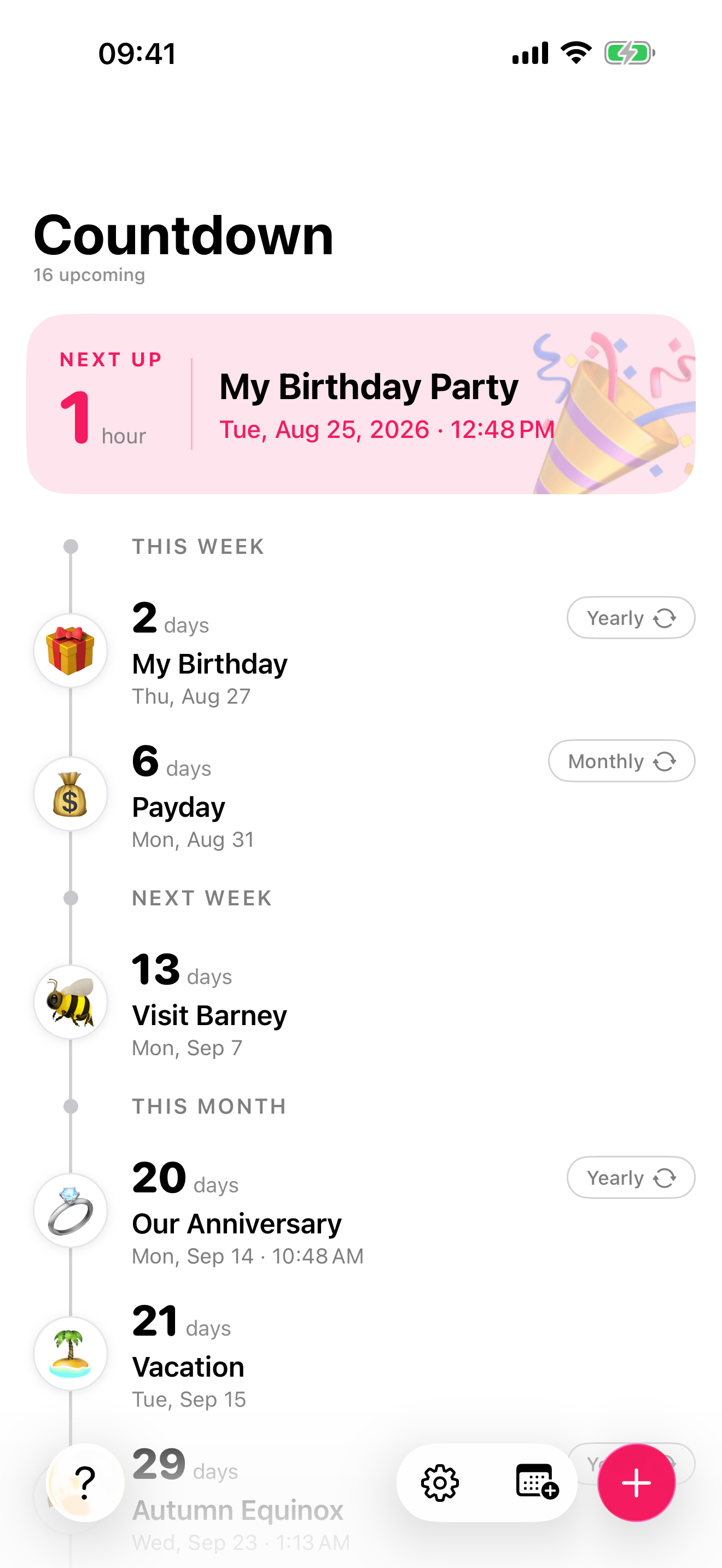
⏪ Scroll back in time
Scrolling up from today now goes backwards, through Last Week, Last Month, Last Quarter, Last Year and Earlier. A repeating countdown shows its most recent time around, so a birthday shows last year. A Today button brings you home whenever you've wandered off. Needs Pro.
🔍 Search your countdowns
There's a search button in the bottom bar. Tap it and filter by name, or by what the emoji actually is, so "cake" finds your untitled 🎂, "gift" finds the 🎁 and "italy" finds the 🇮🇹.
🔧 Smaller things
- A widget can now be set to always show whatever is next, rather than sitting on a countdown that has already passed. Touch and hold the widget, tap Edit Widget, and choose Next event at the top of the list.
- The Time Progress widget no longer cuts long month names short.
- Fixed a crash that could happen at launch when the app and its widgets woke up at the same moment.
Thanks as always,
Lewis 👨💻